 AnuLaya
Player
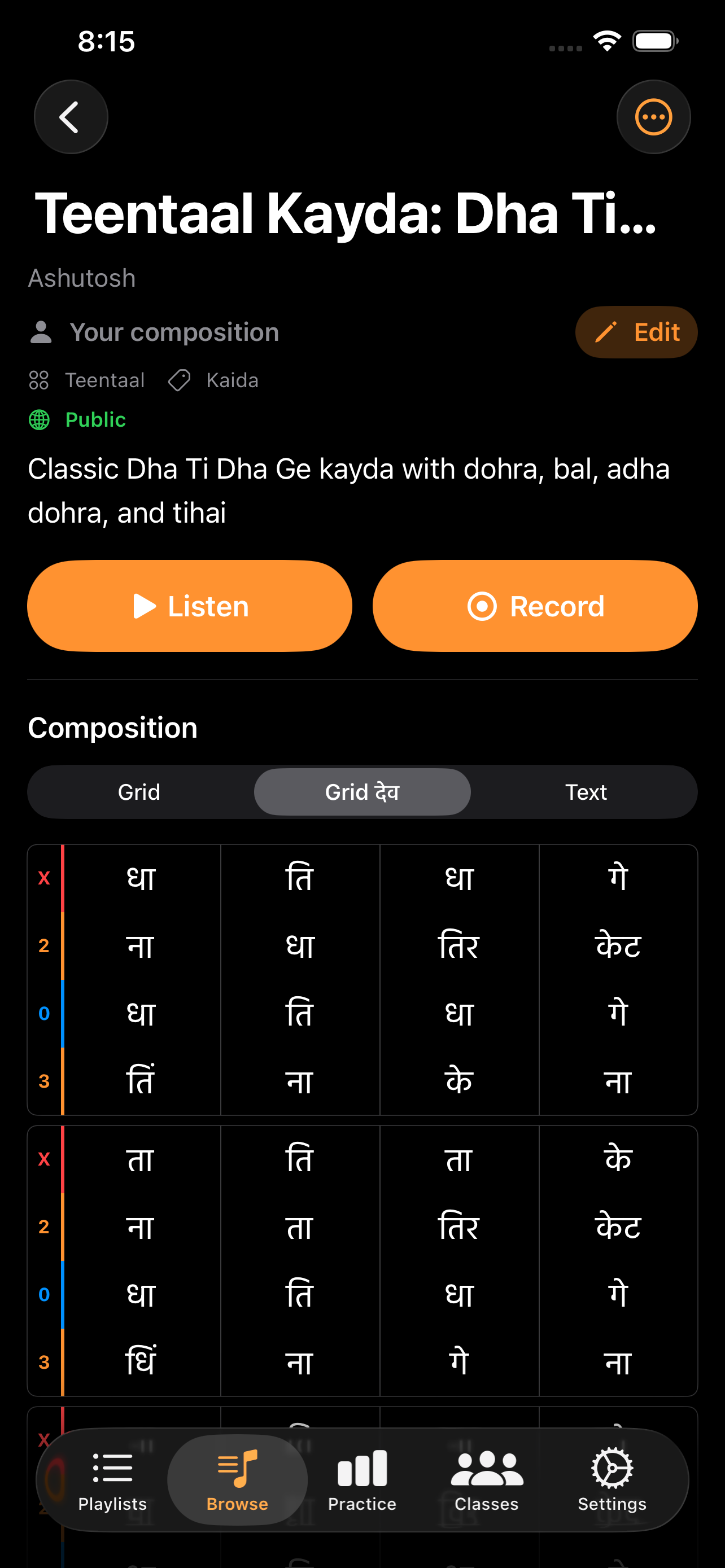
Tap any composition to open its detail screen. The header shows the title, author, taal, category, tempo, and visibility (Private, Class, or Published). The two primary actions — Listen and Record — sit directly under the header so you can move into practice in one tap.
Listen and Record
- Listen opens Listen mode — the composition plays through, either using the artist's reference recording or the synthesized tabla.
- Record opens Record mode — record yourself playing along, with a countdown into the cycle.
Both buttons sit at the top of the screen and stay reachable as a sticky bar while you scroll the notation.
Section practice
Tap any subtitle row in the grid to scope practice to that section. The action buttons change to Listen Section and Record Section, and a small Practicing: <section> pill appears so the scope is obvious. Tap the pill (or the row again) to clear the selection.
Notation display
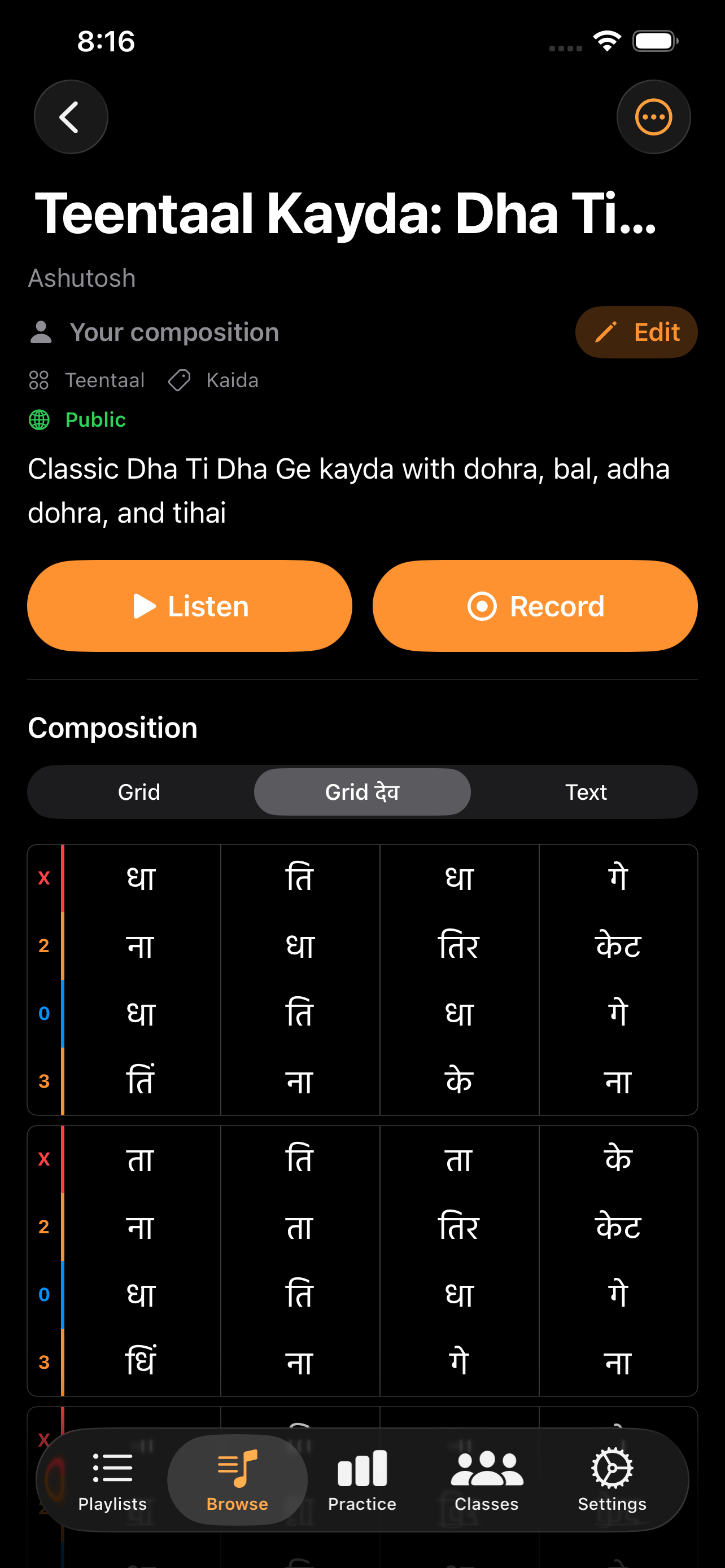
A segmented picker above the grid switches between three views:
- Grid — taal-aligned grid in Roman script.
- Grid देव — same grid in Devanagari.
- Text — raw notation, useful when copying or proofreading.
The current beat is highlighted as playback advances. Vibhag boundaries appear as gaps between beat groups.
More actions
Owner and management actions live behind the More menu (•••) in the toolbar:
- Add to Playlist
- Print — printable version of the grid.
- Edit — owner only.
- Remove Recording — owner only; clears the artist reference recording so Listen mode falls back to synthesized playback.
- Delete — owner only.
A Share action is shown for published compositions and uses the system share sheet.
Recent recordings and listen stats
The detail screen also surfaces:
- Recent Recordings — the latest practice sessions for this composition with a tap-through to Practice Stats.
- Listened for X — a footer summarising your listen time on this composition.